Before you start to check or de-register a connected camera, make sure you have successfully set a de-registration email.
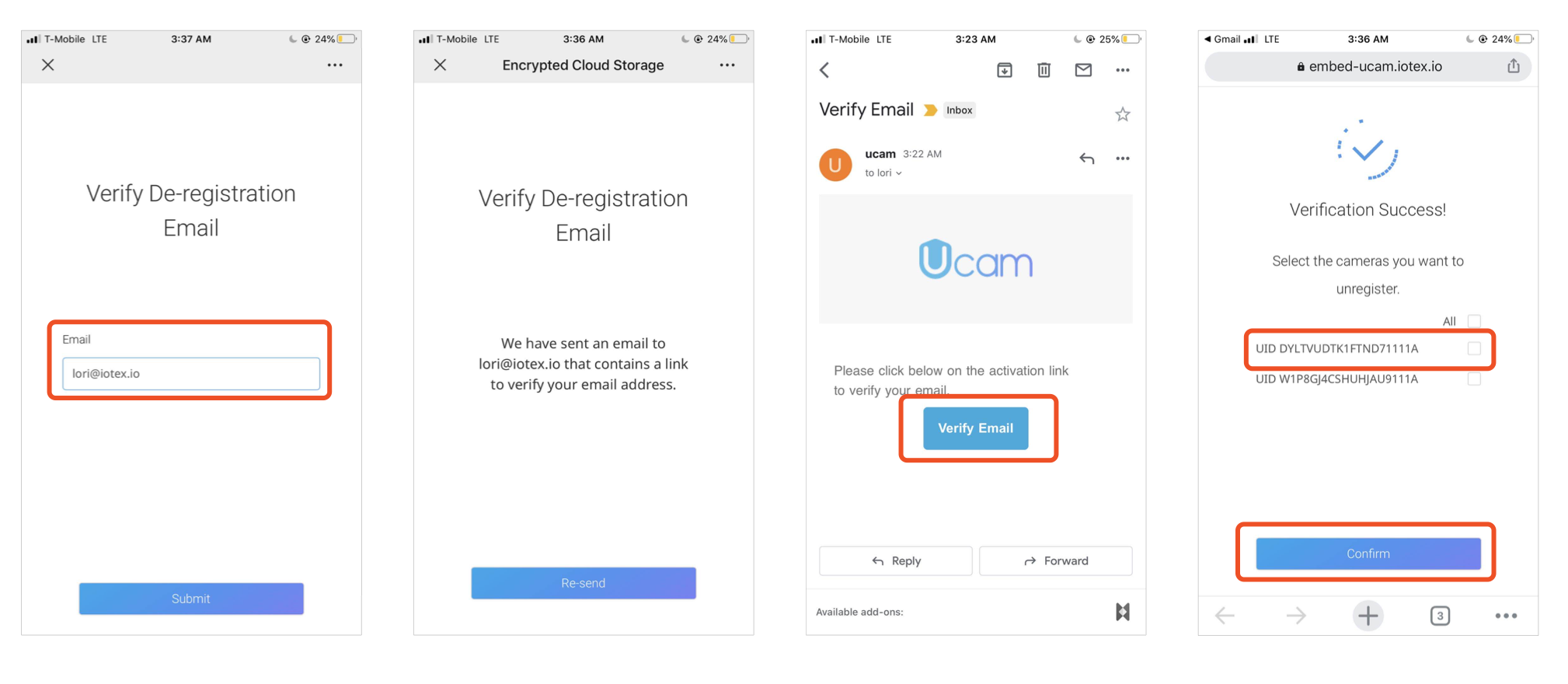
- Go to the De-registration link here.
- Enter the De-registration email you set for your cameras
- Check your mailbox to verify your email address
- Check if your camera is in the list. Select the camera you want to de-register from the Blockchain Identity and click "Continue". Then you are all set!
If you need any help, please contact us at support@getucam.com.