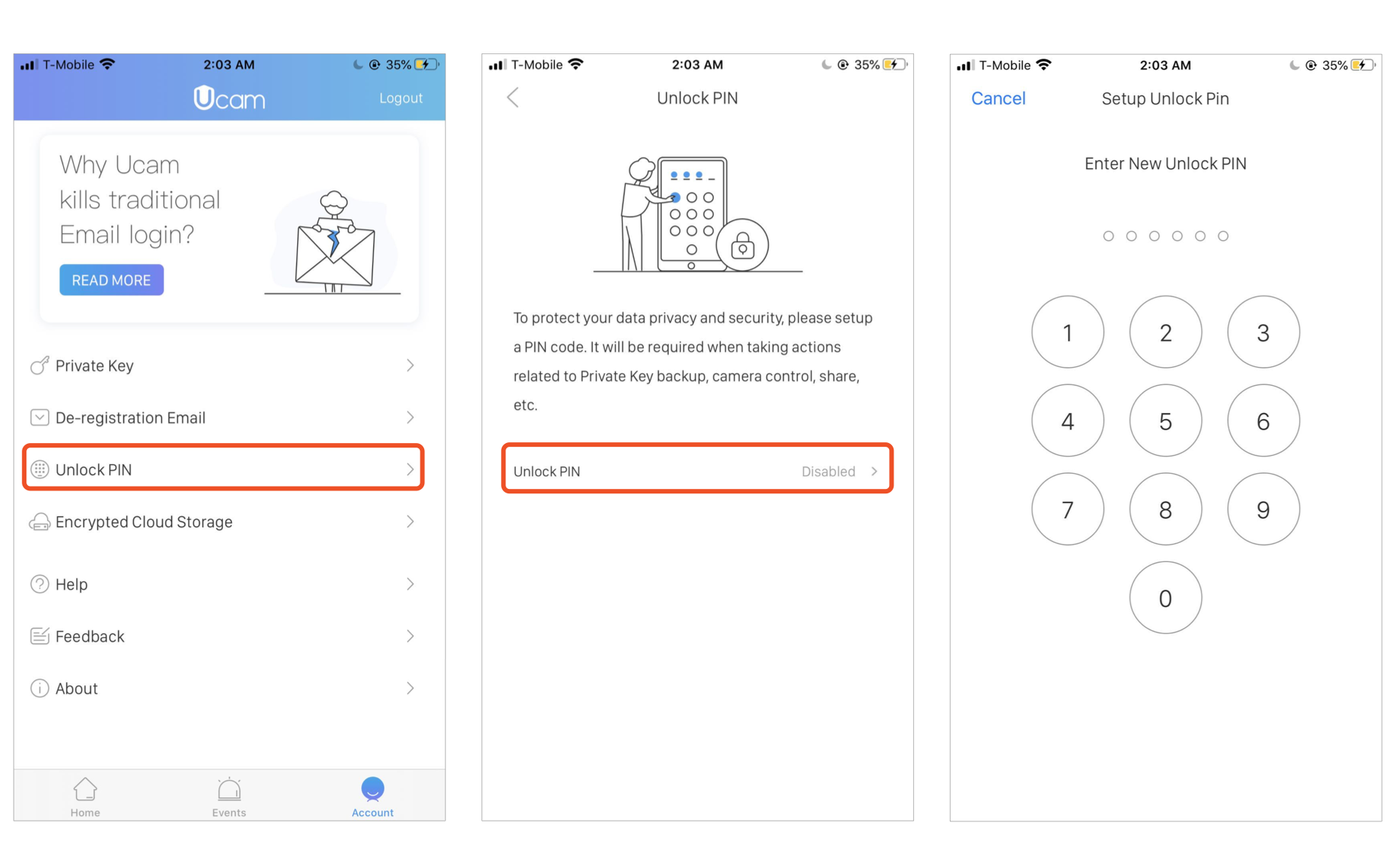
To protect your data privacy and security, please set up a PIN code in Account. It will be required when taking actions related to Private Key backup, camera control, share the camera with friends, etc.
Go to Account -> Unlock PIN -> tap to set a 6-digit PIN -> confirm your PIN -> you are all set!
To disable the Unlock PIN, just tap Disable and verify your current PIN.
If you enable fingerprint in phone settings, Ucam will provide both the fingerprint and PIN options for you to unlock the app when you are taking sensitive actions, or want to disable/update the PIN code.