If you are the owner of the camera
Please note that you will lose all the data if you delete the camera. Anyone else you share the camera with will not be able to access your camera anymore.
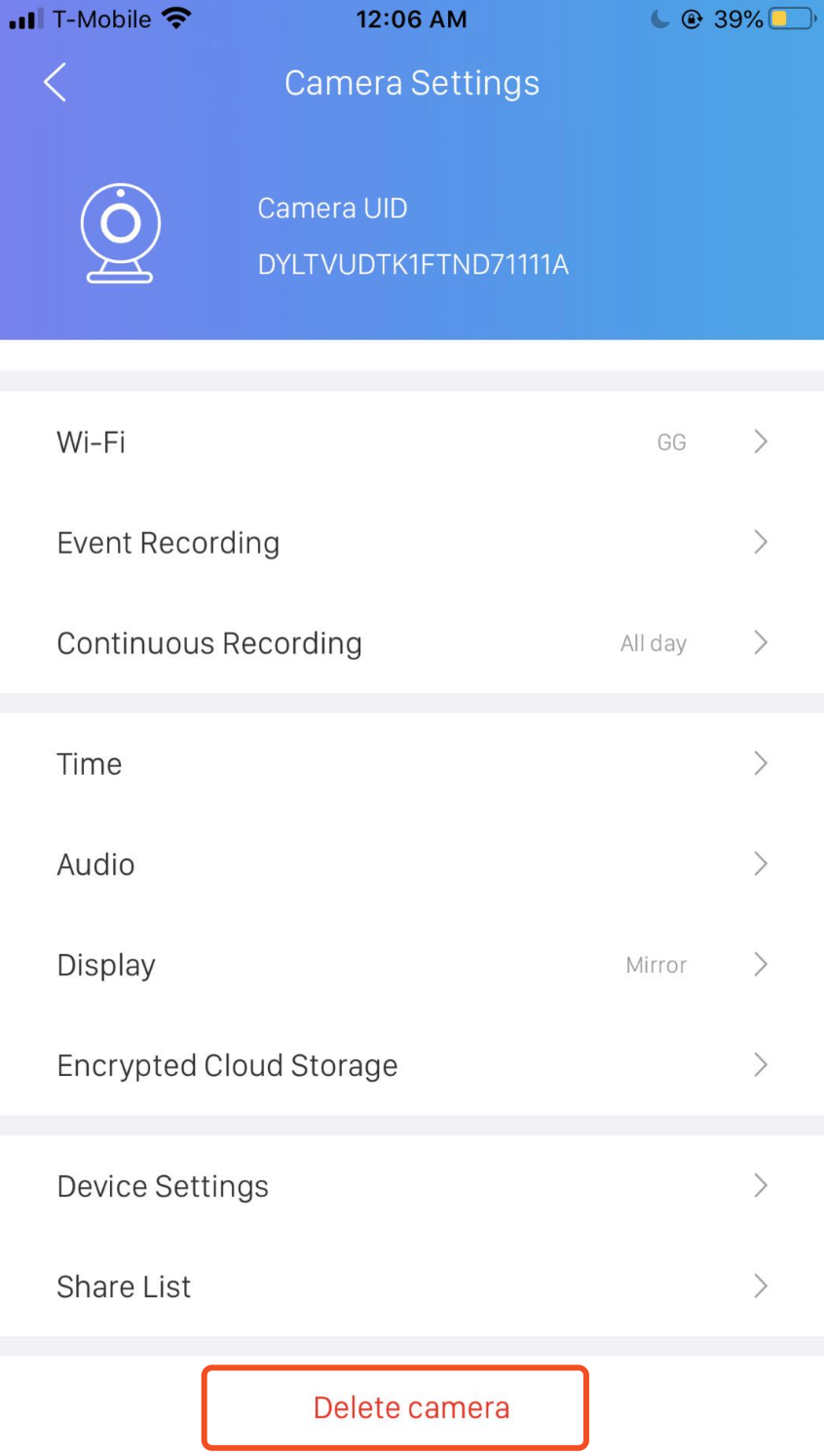
Step 1. Delete the camera
Go to Camera Settings, scroll to the bottom and select Delete Camera.
Step 2. Reset the camera
After the camera is deleted, it will automatically reset within a few seconds. Wait until you hear the reset music and Welcome to Ucam prompt before you add the camera again or unplug it.
If you are not the owner of the camera
If you want to delete a camera that is shared by its owner, just go to Camera Settings and select Delete Camera. The camera information will be deleted from your account, which has no effect on the owner's camera.