Ucam continues to add new features and bug fixes to ensure you have the best and latest version experience. Please make sure you are using the newest version of the Ucam app and camera firmware. You can enjoy the latest version in simple steps!
To upgrade your device firmware, simply follow the popup notification in the Ucam app. Or go to Camera Settings -> Device Settings -> Update Firmware. Then you will be able to see if your camera is in the latest version or any new version is available. You can then select Update now to start the process.
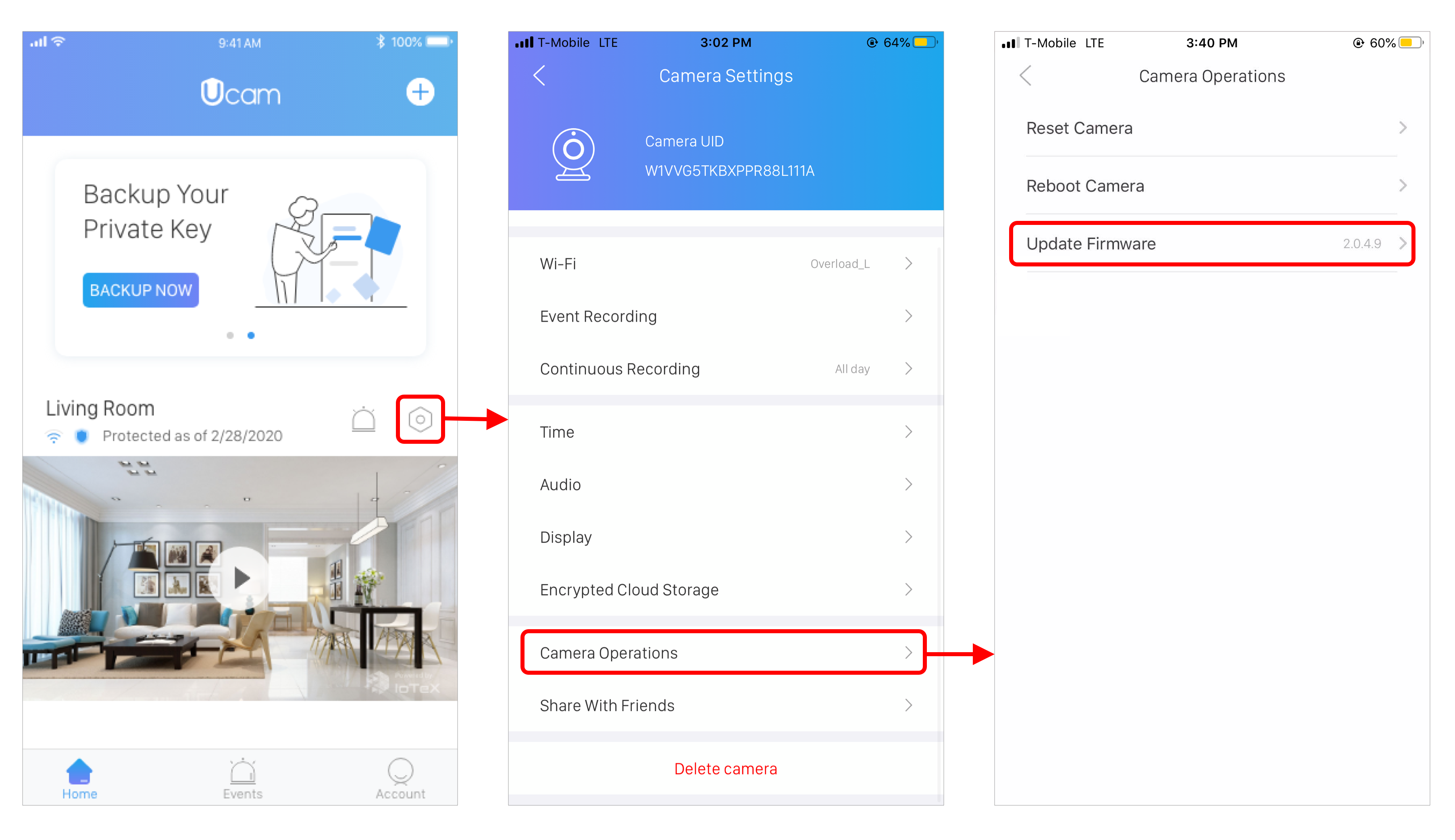
The whole process will take approximately 2-5 minutes based on your Wi-Fi/cable condition. If you encounter an upgrade failure, please double check your internet connection and try again. Once the upgrade is finished, you will see a confirmation message shown as below. Click OK and then you are all set!

⚠️ If you kept receiving upgrade failure messages, please try upgrading with a SD card.